



What is mobile ransomware?
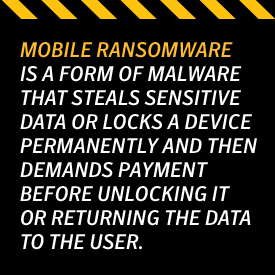
Mobile ransomware is a form of malware that steals sensitive data or locks a device permanently and then demands payment before unlocking it or returning the data to the user. Folks are tricked into accidentally downloading it through social networking schemes, assuming that they are downloading innocent content or critical services.


Mobile ransomware is a form of malware that steals sensitive data or locks a device permanently and then demands payment before unlocking it or returning the data to the user. People are tricked into accidentally downloading it through social networking schemes, assuming that they are downloading innocent content or critical services.

Help protect your digital life on your devices.
Are you afraid of losing your personal information or all the precious things on your computer? Get comprehensive protection with Norton Security Deluxe across all your devices – up to 5 PCs, Macs, smartphones or tablets.
Create an account today and try it free for 30 days on up to 5 of your devices.
After the malware is downloaded onto a device, it will show a fake message accusing the victim of unlawful engagement before encrypting files and locking the phone. After the payment is processed, often via Bitcoin, the ransomware will send a code to unlock the phone or decrypt the data.
Recent Incidents
Ransomware software is constantly evolving. Last fall, a malware called Cryptolocker infected more than 10,000 computers. The hackers wanted $300 from each victim in exchange for a decryption code. After, the ransomware infiltrated both Apple and Android mobiles.
Another version called Koler A disguised itself as a video player that granted users exclusive access to premium pornography. It disabled the backup button of the browser, so that the screen was stuck on a single page citing the user’s phone was under the control of the hacker.
One of the biggest cases affected the Israeli Electric Authority in January 2016. The entire company was shut down after a worker opened a phishing email. Despite being quickly resolved due to payments being made, the cyberattack impacted the country’s electricity grid, causing a national safety alert.
Protect What’s Yours
One of the simplest ways to protect your mobile devices against ransomware is to constantly upload the latest versions of Flash, Java, Shockware, and other plugins. You can also use firewalls and antivirus software to block pop-ups that may contain the pesky virus. Never click on an email from a user you don’t know and avoid suspicious websites. Also, never install anything you find outside of the Google Play store.
If you’ve already been infected, don’t panic and don’t pay the hacker. You can download Ransomware Removal and other apps to remove ransomware Trojan viruses and unlock encrypted data. Another type of software, Bitdefender, scans your devices regularly for malware concerns.
Always back up the files and data on your mobile devices. If you do get infected, you can easily wipe your mobile phone and restore it to remove any ransomware.
In today’s world, there are many threats to your personal data and privacy. Ransomware can hold your important files hostage or lock your phone until a payment is made. By understanding how and where you can get infected, and knowing how to take the proper procedures to get rid of ransomware, you can take back what is yours.
Editorial note: Our articles provide educational information for you. Our offerings may not cover or protect against every type of crime, fraud, or threat we write about. Our goal is to increase awareness about Cyber Safety. Please review complete Terms during enrollment or setup. Remember that no one can prevent all identity theft or cybercrime, and that LifeLock does not monitor all transactions at all businesses. The Norton and LifeLock brands are part of Gen Digital Inc.




Want more?
Follow us for all the latest news, tips and updates.